How to Find Your Global Lock Key Code
Three ways to locate your Global Lock key code — start with the key, then the lock sticker, and finally the inside of the lock if needed.
1. On your Key
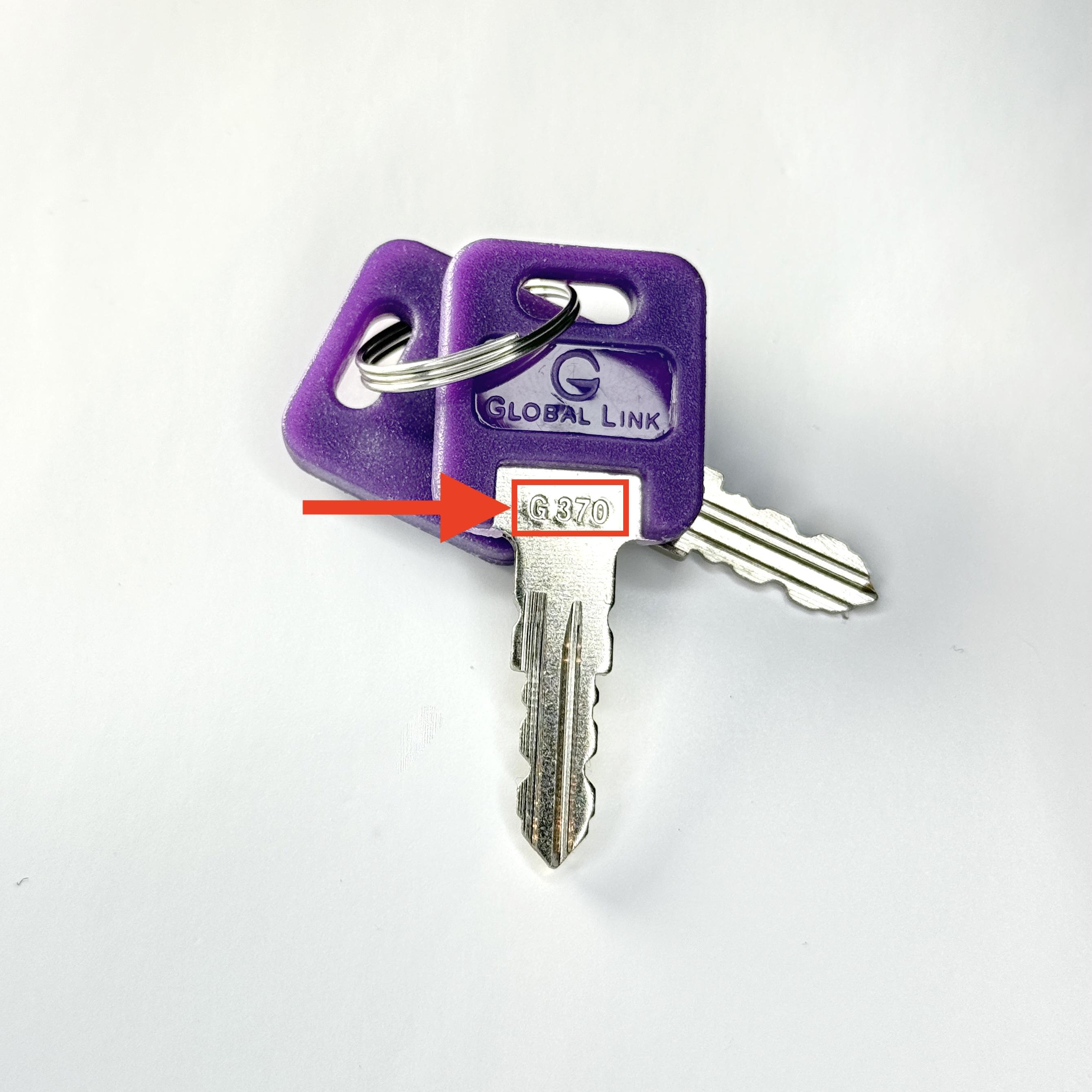
Look just below the fob
The key code is usually stamped or engraved near the base of the key blade below the fob.
Improve readability
Tilt the key in light or use your phone flashlight to reveal faint characters.
Record it exactly
Copy letters, numbers, and any dashes exactly as shown (e.g., G310).
2. On your Lock
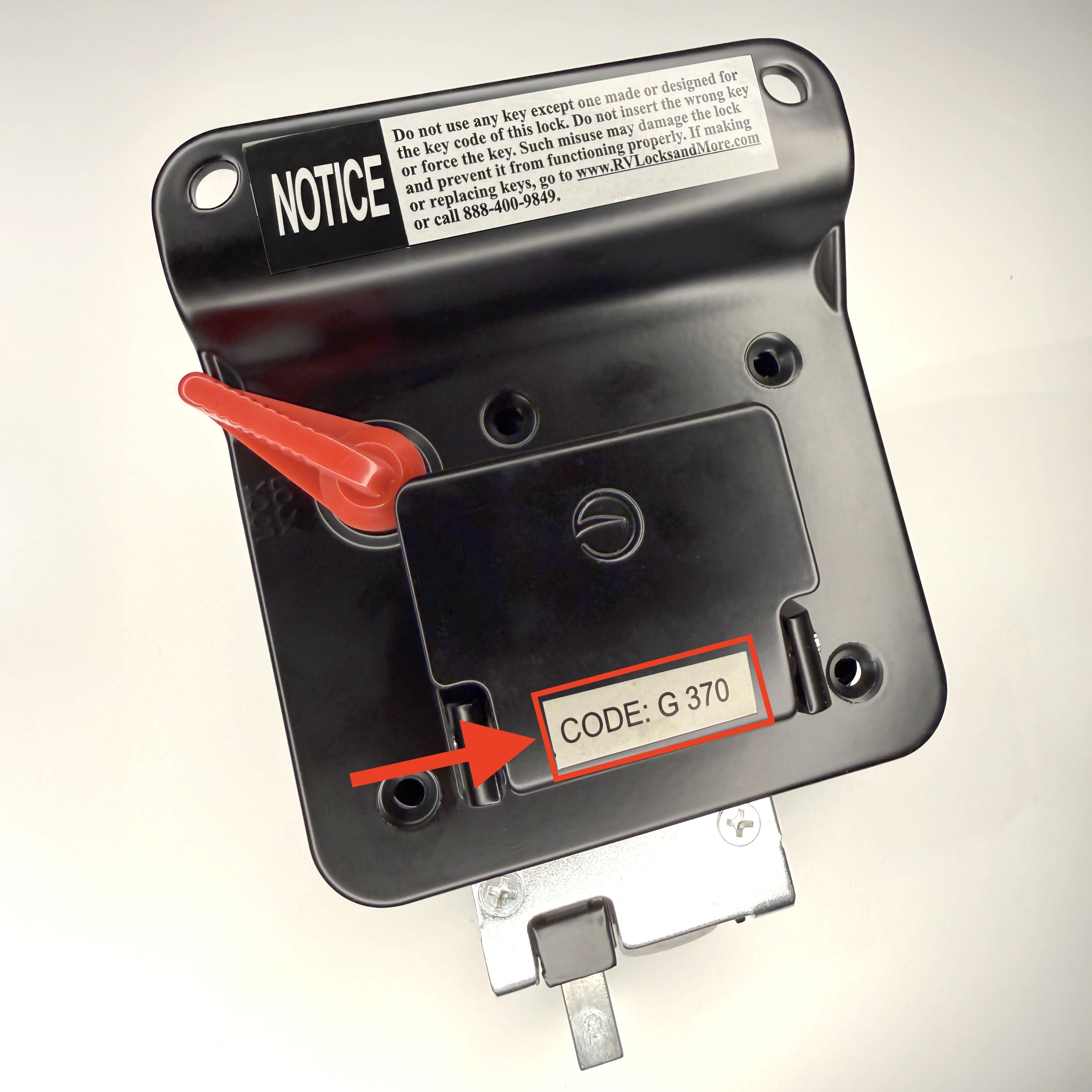
Check the back for a sticker
Many locks include a sticker on the rear housing that lists the key code.
Remove to access if needed
You may need to remove the lock to view the back.
Clean gently
Wipe dust with a soft cloth. Avoid solvents that may remove the print.
3. Inside your Lock
Gather basic tools
Screwdriver set, small pry tool, cloth, and container for screws.
Open the housing carefully
Remove cover screws without forcing anything.
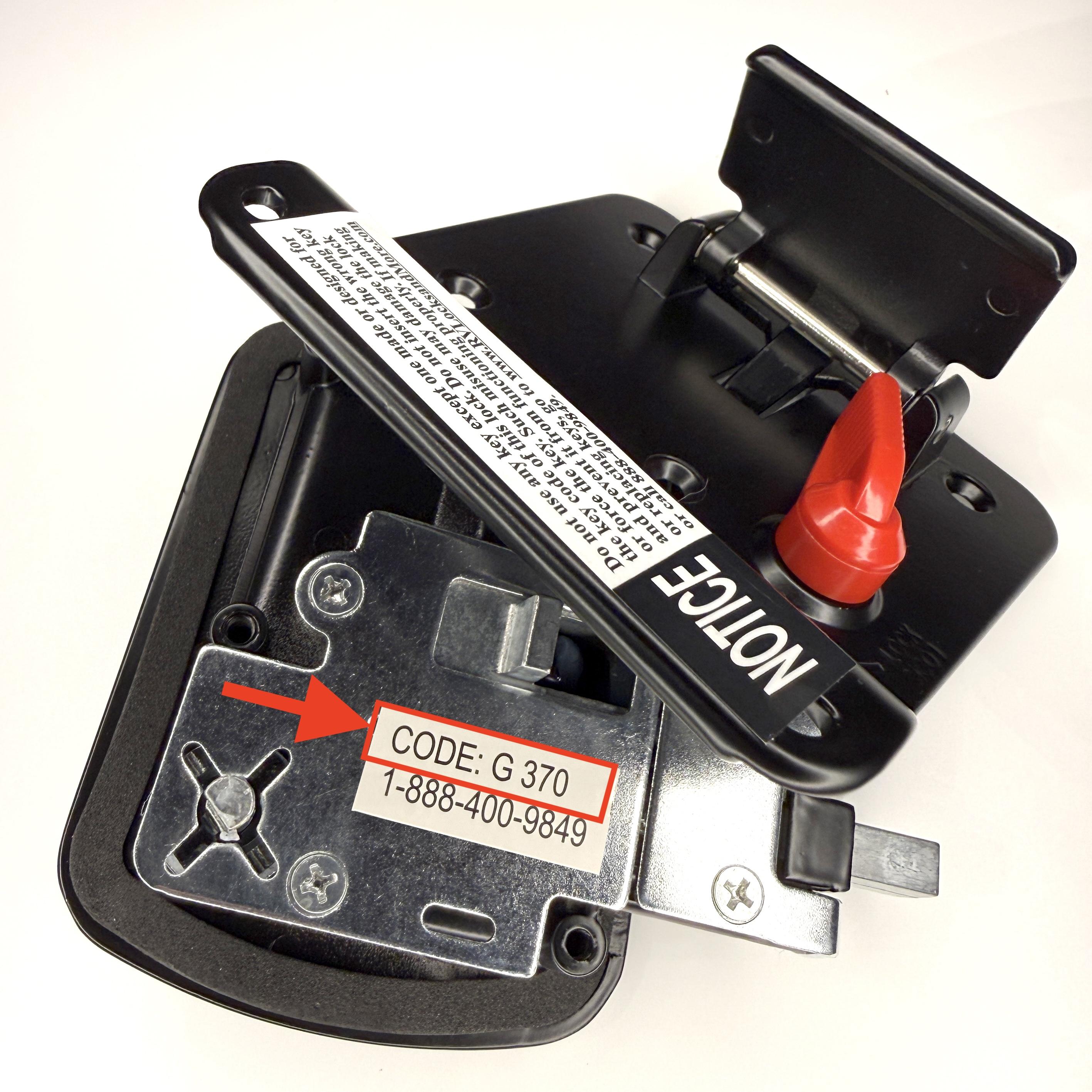
Locate the internal code
Look for a printed or engraved code on the inside housing.
Document then reassemble
Record the code before reassembling the lock.
4. No Code Inside your Lock?
Need Help?
If you’re unsure about removal or reassembly, contact an authorized locksmith or CPG Support.